
The best wallets for SUSHI are MetaMask or Rabby for everyday use with SushiSwap, and a Ledger or Trezor hardware wallet for larger long-term holdings, with Safe as the option for shared or treasury funds. SUSHI is an ERC-20 token on Ethereum, so any wallet that supports Ethereum tokens can hold it, but the right choice depends on whether you plan to stake, provide liquidity or simply hold.
One detail narrows the field. Staking in the Sushi Bar only works with SUSHI on Ethereum mainnet, so whichever wallet you pick needs to handle Ethereum well, even if you also use SUSHI on other chains.
What a SUSHI Wallet Needs
Three features matter most. The wallet should connect to the SushiSwap web app, show the transaction and approval details before you sign, and support both Ethereum and the layer 2 networks where you trade. If you plan to hold for a long time, the private keys should live on a hardware device.
SUSHI's contract on Ethereum is 0x6B3595068778DD592e39A122f4f5a5cF09C90fE2, which you can confirm on Etherscan's SUSHI token page or CoinGecko. Bridged versions exist on many chains, each with its own address. Always copy addresses from Sushi's official sources, since look-alike tokens circulate on most networks.
Hot Wallets for Active Use
MetaMask
MetaMask is the default browser wallet for most Ethereum users and connects to SushiSwap in one click. It handles Ethereum, Arbitrum, Base, Polygon and most other EVM chains Sushi supports. Its weakness is that approval prompts can be hard to read, so check the spender address before signing anything.
Rabby
Rabby is built for DeFi users. It switches networks automatically when you open a dApp, simulates each transaction to show what will leave and enter your wallet, and flags risky approvals. For someone moving between Sushi's many chains, that simulation is a real safety gain.
Both are hot wallets, meaning their keys sit on an internet-connected device. Our explainer on hot wallets in crypto covers the trade-off between convenience and exposure.
Hardware and Multisig Options for Larger Balances
Hardware wallets keep your private keys offline and require a physical button press to approve each transaction. You can still use SushiSwap by connecting the device through MetaMask or Rabby, which gives you the familiar interface with offline signing.
| Wallet | Type | Best for | Note |
|---|---|---|---|
| Ledger (Nano S Plus, Nano X, Flex) | Hardware | Long-term holders | Enable clear signing for contract calls |
| Trezor (Safe 3, Safe 5) | Hardware | Holders who prefer open-source firmware | Pair with Rabby or MetaMask for DeFi |
| Safe | Smart-contract multisig | Teams, DAOs, shared funds | Needs several signers for each transaction |
Safe deserves a note of its own. It is the multisig wallet behind many DAO treasuries, including in Sushi's own history, and lets you require two or more keys before funds move. Our guide to cold wallets in crypto explains how offline storage works in more detail.
Matching the Wallet to What You Do With SUSHI
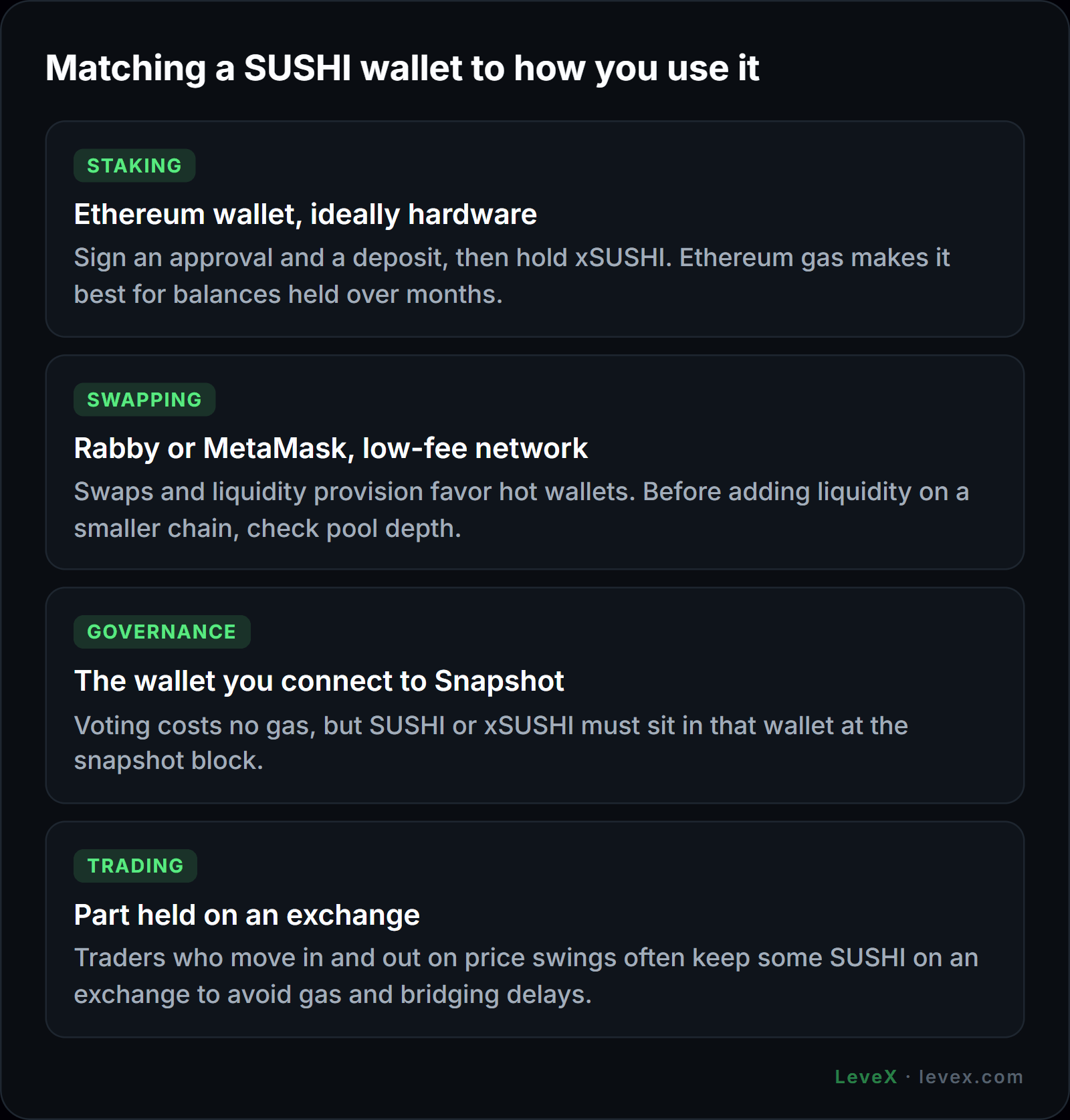
Staking calls for an Ethereum wallet that can sign an approval and a deposit and then display xSUSHI as a separate token, as covered in our walkthrough on how to stake SUSHI. Gas costs on Ethereum make this most sensible for balances held on a hardware wallet over months.
Swapping and liquidity provision favor Rabby or MetaMask on a low-fee network. Before adding liquidity on a smaller chain, check pool depth, a point explained in our guide to where SushiSwap runs.
Governance voting happens on Snapshot and costs no gas, but the SUSHI or xSUSHI must sit in the wallet you connect at the snapshot block. Votes can decide your token's supply, as the December 2025 emissions decision showed in our SUSHI tokenomics breakdown.
Active trading is the one case where a wallet may not be the best place. Traders who move in and out on price swings, using levels such as those in our SUSHI price prediction, often keep part of their SUSHI on an exchange to avoid gas and bridging delays.
Keeping SUSHI Safe
Most SUSHI losses come from bad approvals and phishing links. Revoke approvals you no longer need, because SushiSwap's April 2023 routing-contract exploit drained wallets that still had approvals open. Bookmark sushi.com rather than clicking ads or links in replies, and never type a recovery phrase into a website.
The origin story of the token is a useful reminder of why custody matters. During the 2020 SushiSwap vampire attack, control of the contracts changed hands twice in a week, and only a multisig settled it. For a second view of the platform choices, our SushiSwap vs Uniswap comparison covers the security track records of both.
Frequently Asked Questions
Can I store SUSHI on a Ledger?
Yes. Ledger supports SUSHI as an ERC-20 token through the Ethereum app. To use it on SushiSwap, connect the Ledger through MetaMask or Rabby and confirm each transaction on the device.
What network should I use to send SUSHI to my wallet?
Use Ethereum (ERC-20) if you want to stake SUSHI in the Sushi Bar, since staking only works on Ethereum mainnet. For trading on a layer 2, choose that network, and send a small test amount first.
Why can't I see my SUSHI in my wallet?
Most wallets hide tokens that are not on their default list. Add SUSHI manually using the official contract address for the network you are on, and the balance will appear.
Choosing Where Your SUSHI Lives
For most holders, a hardware wallet paired with Rabby or MetaMask covers everything: staking on Ethereum, swaps on layer 2s and safe long-term storage. Hot wallets alone suit small, active balances, and Safe suits shared funds.
When you need to buy or sell, LeveX offers a SUSHI/USDT spot market with withdrawals to your own wallet, plus SUSHIUSDT perpetual futures for trading price moves without moving tokens at all. Find more token guides in Crypto in a Minute.